A workspace of your own
Each company gets its own SoliCRM, at its own address — crm-yourcompany.solisoft.net — with its own database. Your data is never stored next to another customer's. The servers are at OVHcloud in Strasbourg, France.
Creating it asks for six things: your company's name, the address you want, your name, your work email, your line of business and your plan. Setting it up takes about a minute; the page refreshes on its own and an email tells you when your CRM is ready.
The trial lasts 14 days, with every feature and no card. If you do not subscribe at the end, nothing is deleted: the CRM simply turns read-only, and everything stays exportable.
A catalog that fits your trade
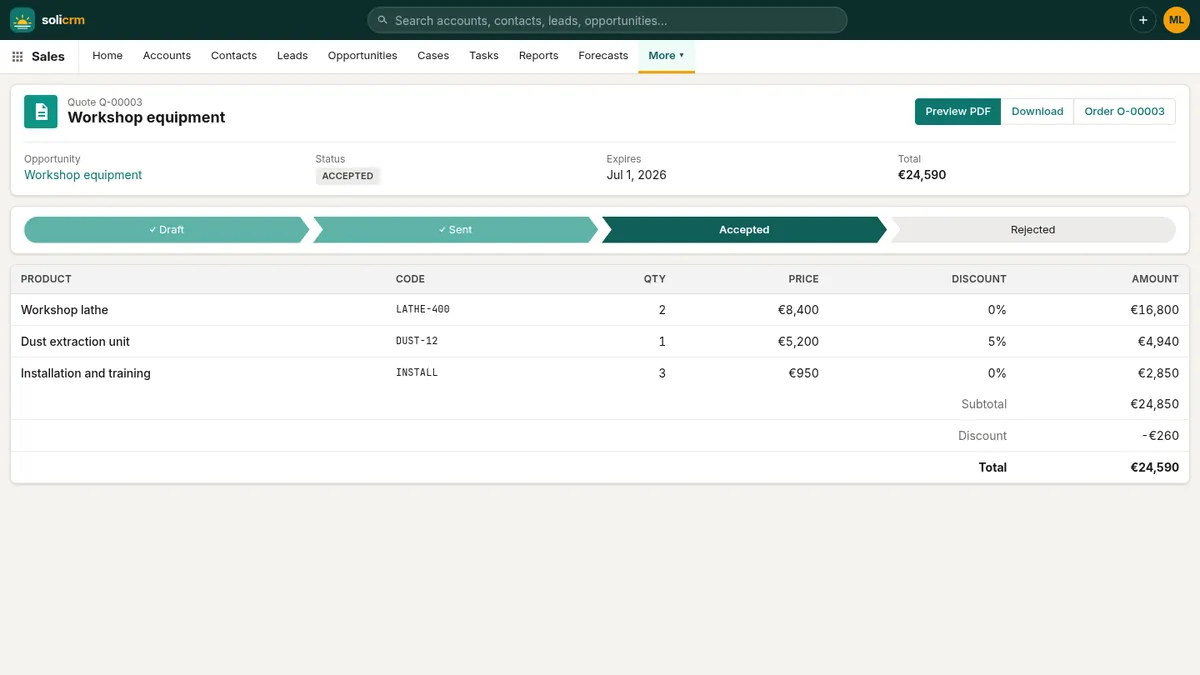
Your line of business decides the starter catalog, so your first quote does not begin with an empty product list:
- Services & consulting — consulting day, audit package, monthly retainer, training session;
- Trade & distribution — standard and premium pallets, delivery, installation;
- Software & SaaS — subscription per user and month, onboarding, premium support, admin training;
- Manufacturing — machine, spare parts kit, commissioning, maintenance contract.
Prices are placeholders: change them, add your own products, or delete them. A sample customer, contact and deal show how everything fits together; Remove the sample data clears them in one click when you are ready.
A checklist that ticks itself
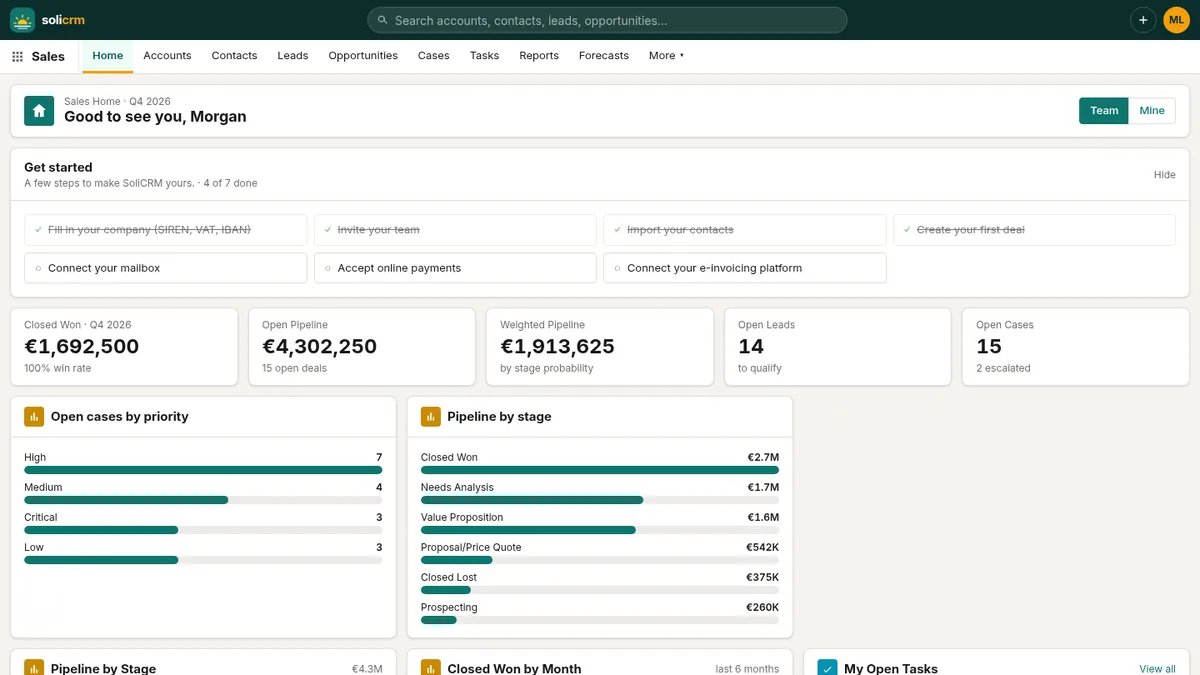
The admin's home page shows a Get started list of seven steps, each ticked automatically as soon as it is done:
- fill in your company — SIREN, VAT number, IBAN;
- invite your team;
- import your contacts;
- create your first deal;
- connect your mailbox;
- accept online payments;
- connect your e-invoicing platform.
It shows how far you are ("4 of 7 done") and can be hidden once you no longer need it.
Import from HubSpot, Pipedrive, Salesforce or a spreadsheet
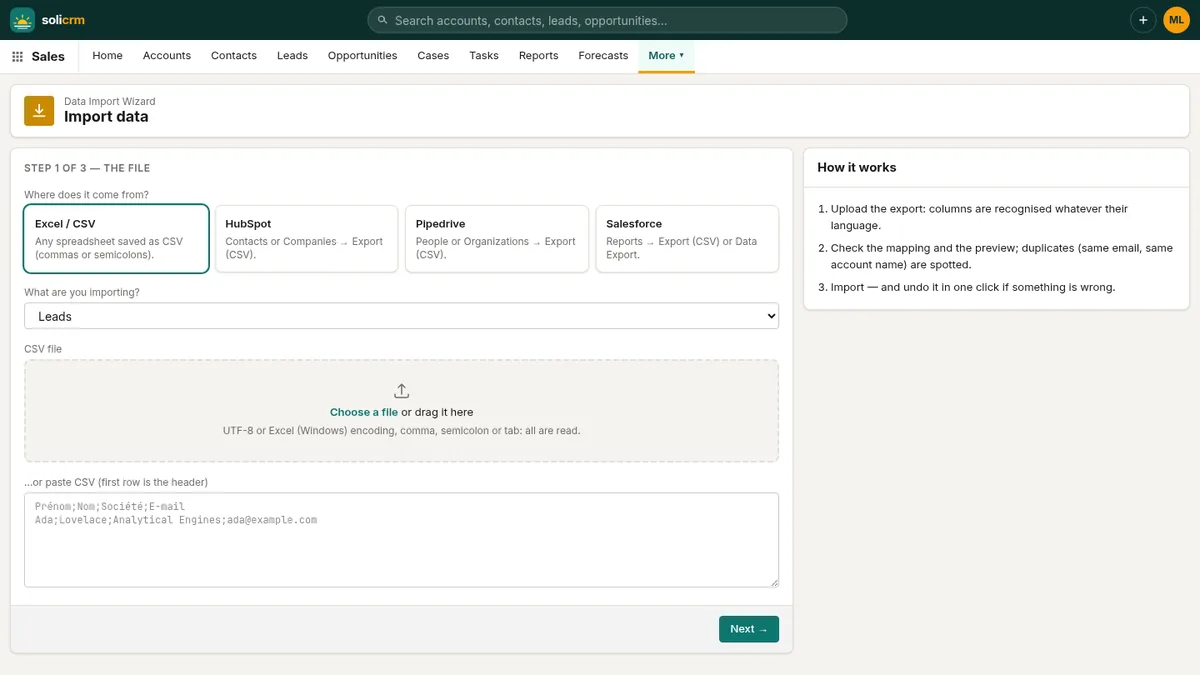
Import data brings in leads, contacts or accounts in three steps, from an Excel/CSV file or from the exports of HubSpot, Pipedrive and Salesforce.
Your file, as it is. SoliCRM reads UTF-8 and the Windows encoding Excel uses for French accents, and finds the separator — comma, semicolon or tab — on its own. No need to "save as" anything.
Columns recognised in English and French. "First Name" and "Prénom", "Company" and "Société", "Postal code" and "Code postal" all land in the right field. Pipedrive's "Person -" and "Organization -" prefixes are understood, and a "Full name" column is split into first and last name. Every match can be changed, and any column ignored.
Duplicates spotted before anything is written. The preview shows the first rows and flags those already in the CRM — same email for a contact or a lead, same name for an account. For them, you choose:
- skip it;
- fill in its blank fields — what is already in the CRM is never overwritten;
- create it anyway.
The result says what happened — "120 created, 14 updated, 3 skipped" — with the reason for every line that failed. Imported accounts go to the seller who owns their country's territory.
And if something went wrong: Undo this import deletes every record that import created. Try, look, undo, try again.
Your team, at your pace
Invite your colleagues by email: each receives a link, valid seven days, to choose a password. Each active user takes one seat of your subscription, and deactivating someone frees theirs immediately — their records stay where they are.
In short
- One company, one database, hosted in France.
- A starter catalog for your trade and sample data you remove in one click.
- A seven-step checklist that ticks itself.
- An import wizard that reads real exports, catches duplicates and can be undone.
Next: leads, deals and forecasts.