The billing card on every order
Each activated order has a Billing card: the order total before tax, what has been billed, what is left, the progress reached and the retention held back, with every invoice of the order and its kind. From there you choose how to bill it:
- Bill a deposit, then a final invoice that deducts the deposits;
- Bill progress, situation after situation, until the work reaches 100 %;
- or simply Create the invoice for the whole order.
An order is billed either by deposits or by progress invoices, never both, and one invoice at a time: the next waits until the current draft is issued or cancelled. That keeps every deduction pointing at an invoice that really went out.
Deposit invoices, with their VAT
A deposit is a share of the order — a percentage, or a fixed amount before tax — never more than what is left to bill. It is a real invoice: VAT on a deposit is due when it is invoiced, so the deposit invoice carries its own VAT and goes out with its own number, title DEPOSIT INVOICE and Factur-X type code 386.
When the work is done, the final invoice bills the whole order and deducts every deposit, listed by number:
| Final invoice | Amount |
|---|---|
| Total including tax | €29,508.00 |
| Deposits deducted (INV-2026-00003, INV-2026-00004) | −€14,754.00 |
| Amount payable | €14,754.00 |
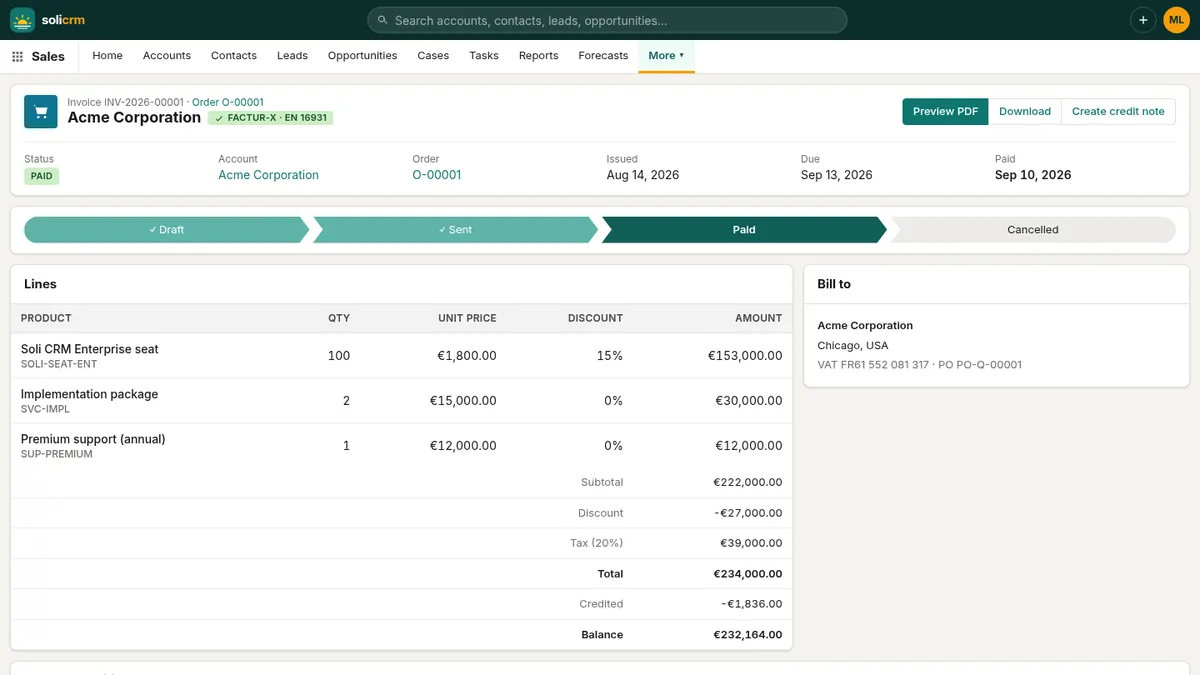
The same deduction travels in the Factur-X data — prepaid amount and references to the deposit invoices — so your customer's software reconciles it without anyone retyping it.
Progress invoices with a cumulative statement
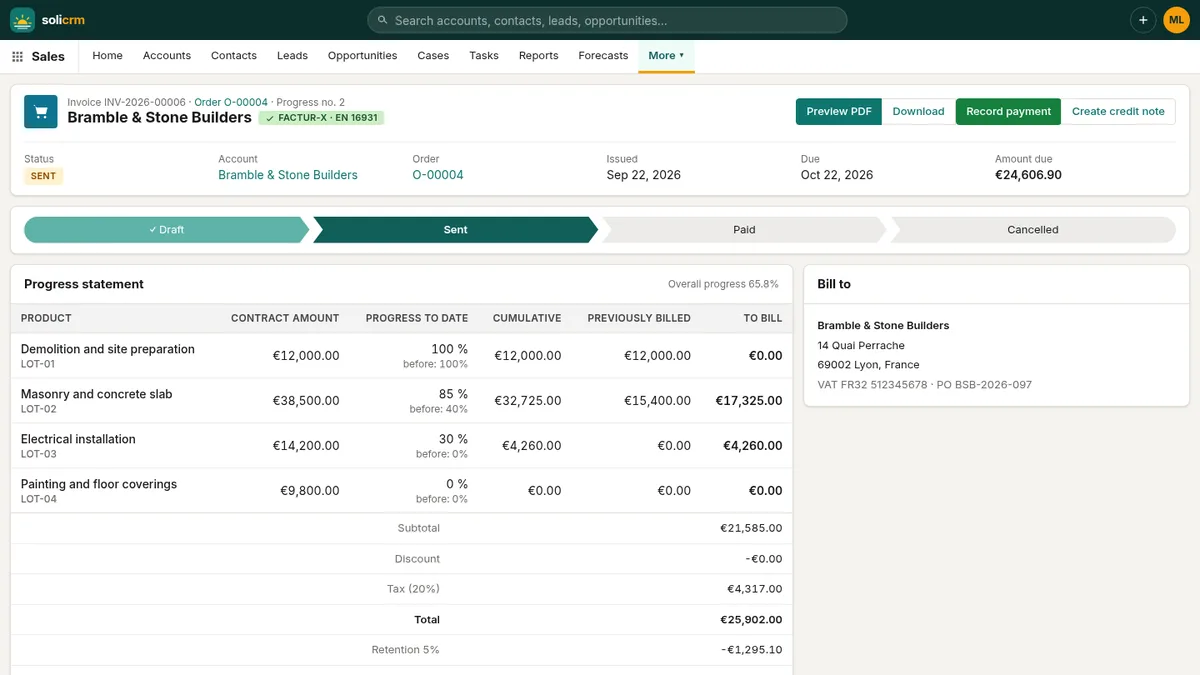
On a project billed as it progresses, Bill progress opens the next situation with every order line and its progress so far. You enter the cumulative progress of each line since the start — not this month's — and see the amounts update as you type: cumulative amount, already billed, to bill this time, total with tax, retention and amount payable.
Each progress invoice bills the cumulative amount less what earlier ones billed, and prints the full statement:
| Line | Contract | Progress | Cumulative | Previously billed | This invoice |
|---|---|---|---|---|---|
| Masonry and concrete slab | €38,500 | 85 % | €32,725 | €15,400 | €17,325 |
| Electrical installation | €14,200 | 30 % | €4,260 | €0 | €4,260 |
Progress never goes backwards — a percentage below the previous one is ignored — and the order's overall progress shows on the order and on each invoice ("Progress 65.8 %"). Situations are numbered (no. 1, no. 2…) and grouped by work package when your lines have groups, each with its subtotal.
Retention guarantee
On construction contracts, the customer may hold back up to 5 % of each payment until the guarantee period ends. Set the retention rate on a progress invoice and SoliCRM:
- computes it on the amount including tax and prints it as its own line, Retention (5 %);
- shows the amount payable after it, which is also what the payment link and the QR code ask for;
- adds up the retention held across the order on the billing card.
When the guarantee ends, Release the retention on the invoice: the amount becomes payable and the release date is recorded on the invoice.
In short
- Deposits as real invoices with their own VAT, deducted from the final invoice by number.
- Progress invoices with a cumulative statement per line, numbered in sequence.
- Retention up to 5 %, held back from what is payable, released in one click.
- The same figures in the PDF, on the payment link and in the Factur-X data.
Previous: invoices, credit notes and online payment. Next: e-invoicing 2026 with Factur-X.